Tapey
Washi-tape photo wallpapers
Pick your photos and they settle onto the wall like prints. Add washi tape and frames, then save the wallpaper exactly as you see it.
01
Photos find their place
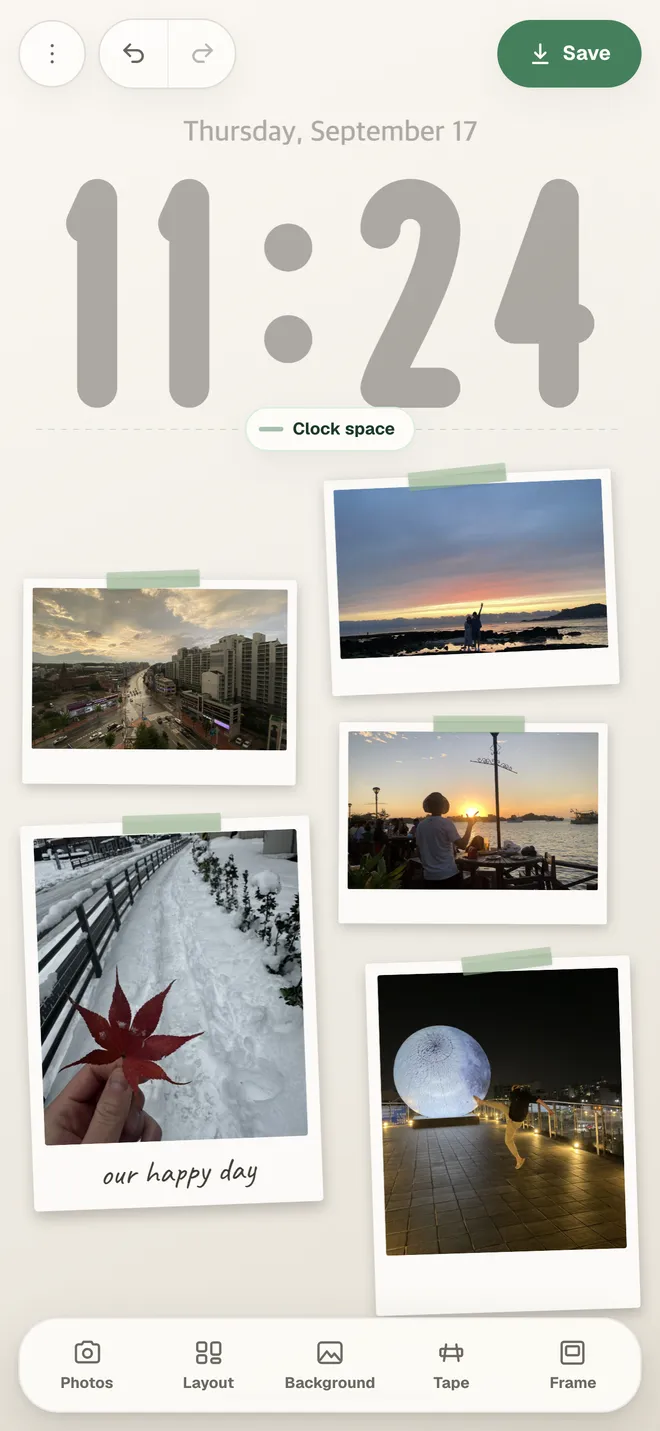
Pick up to 12 photos and Tapey lays them out like prints on a wall. Drag a photo to move it, or use two fingers to resize and turn it. Any photo you move by hand stays pinned where you put it.
- Automatic layout for up to 12 photos
- Auto, Grid, Stairs, and Heart layouts
- Undo and redo
- TapeColor, placement, pattern, torn ends
- FrameBorder, Polaroid, B&W
- BackgroundWall tones, My photo, Texture
Tape colors8
Background tones6
02
Tape and frames
Pick a tape color and the tape goes on. Change where it sits and its pattern, or give it torn ends. In a Polaroid frame, every photo can carry its own handwritten note.
- 8 tape colors and 4 patterns
- White borders and Polaroid frames
- B&W for the whole wall or a single photo
03
Fitted to the lock screen
The current time sits on the canvas just like your lock screen clock. Drag the handle to set the clock space, and the photos move down below it. You can keep room for widgets as well, and the resolution is matched to your device from the start.
- Adjustable clock space
- Reserved widget space
- iPhone and iPad resolutions
04
Start with your photos
No account and nothing to sign in to. Your wall is still there when you come back, and Make a new one after saving moves it to Recent.
- No account
- 31 languages
Support
Questions and contact details are on the support page.