
Life Tyde
Quiet chronicle of your years
Pick out the big moments of your life, file them under hashtags, and keep them on one timeline.
01
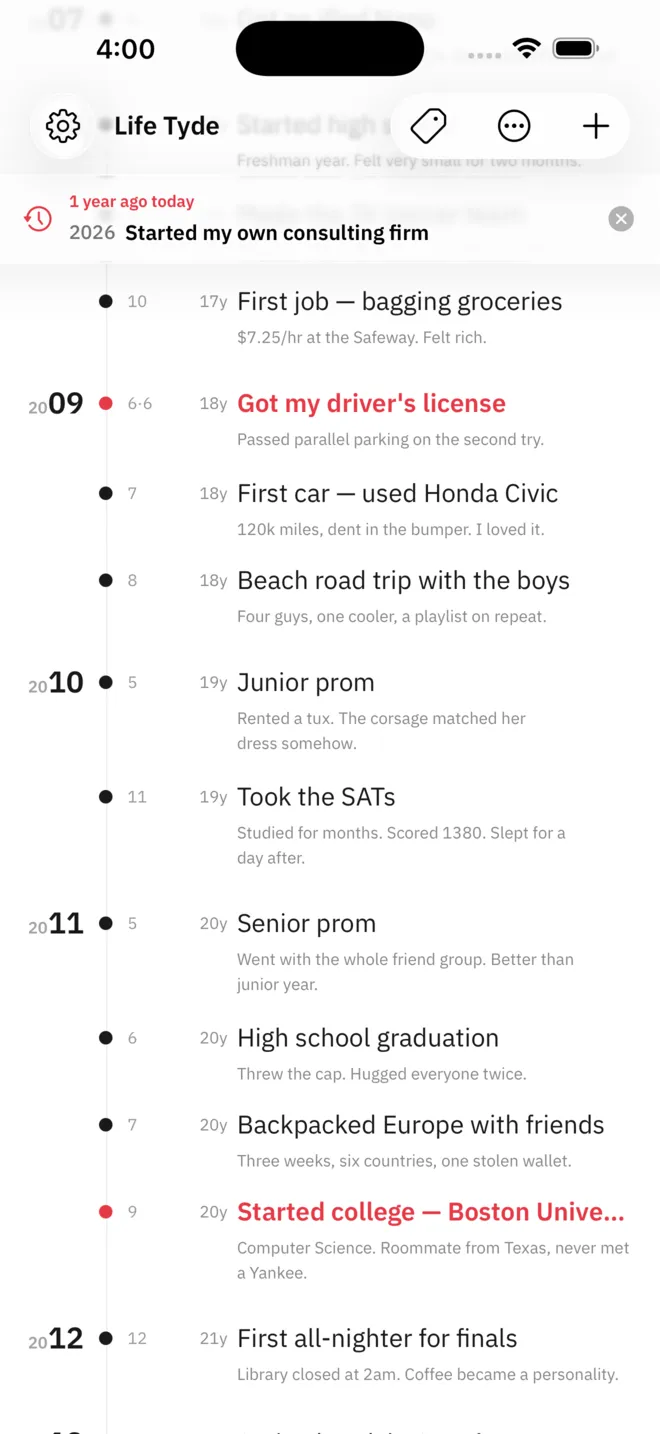
Only the moments that mattered
Life events sit on a single line in order of year. A year and a title make an entry; the month, the day, and a note can wait until you remember them. You choose which moments to highlight, and those keep a red dot and a red title.
- Age or year count beside each entry
- Era event packs from the Event market
- Reminders and repeats for upcoming events
02
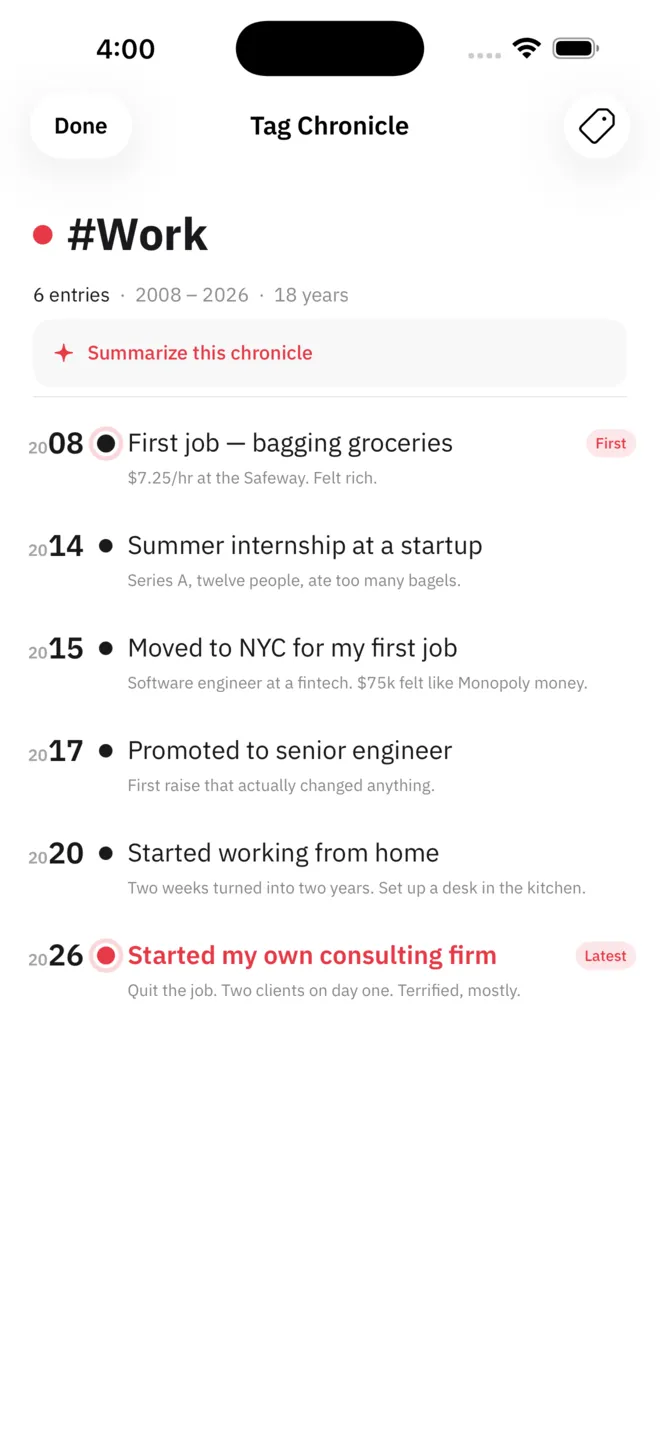
One hashtag, one chronicle
Tag entries with hashtags such as #school or #work. Choose a single tag in the tag filter and its Tag Chronicle opens, with only that tag's entries running from the first to the latest. The entry count and the time span sit at the top.
- Tag filter with a highlights-only view
- Suggestions from the tags you already use
- Chronicle summaries with Apple Intelligence
03
Go back over the years
Replay turns through your entries one at a time, oldest first. Life Map spreads every entry across a grid of years and months, and Side by Side lines up two timelines by age or by year.
- Automatic advance to the next entry
- On this day card and widget
- Chronicle exchange with a nearby device
04
Open it and write
No account needed. Entries live in the app, and with iCloud sync on they follow you to your iPhone and iPad on the same account.
- No account
- iCloud sync
- CSV backup
Life Tyde Pro
More room for your life,
and a book to keep it in
- Chronicle book export as an A4 PDF
- Unlimited events and hashtags
- Up to 3 timelines
- All event packs
- Replay filtered by decade, tag, or highlight
- Essay drafts and forewords with Apple Intelligence
Support
Questions and contact details are on the support page.