
OnPace
Late or Early at Every Stop
Know at every checkpoint whether you are ahead of your plan or behind it
01
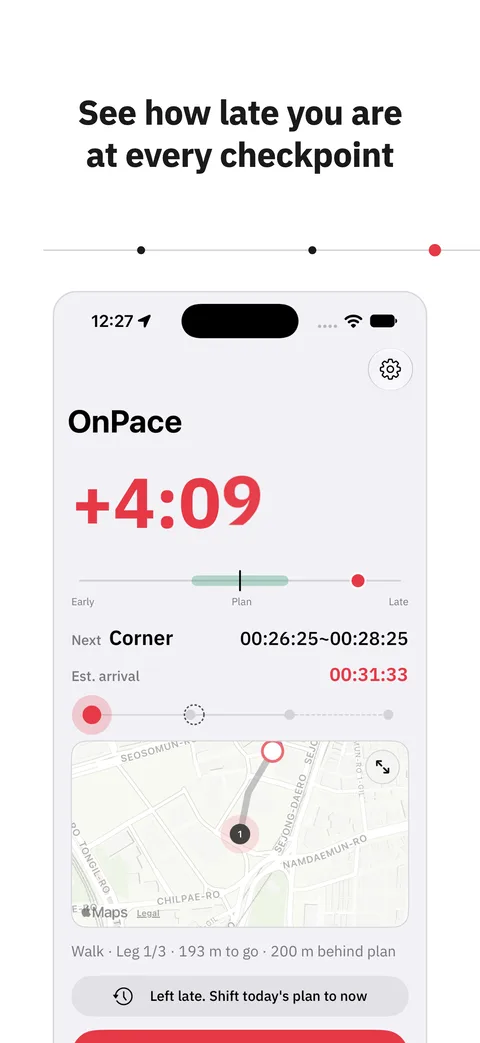
How late, checkpoint by checkpoint
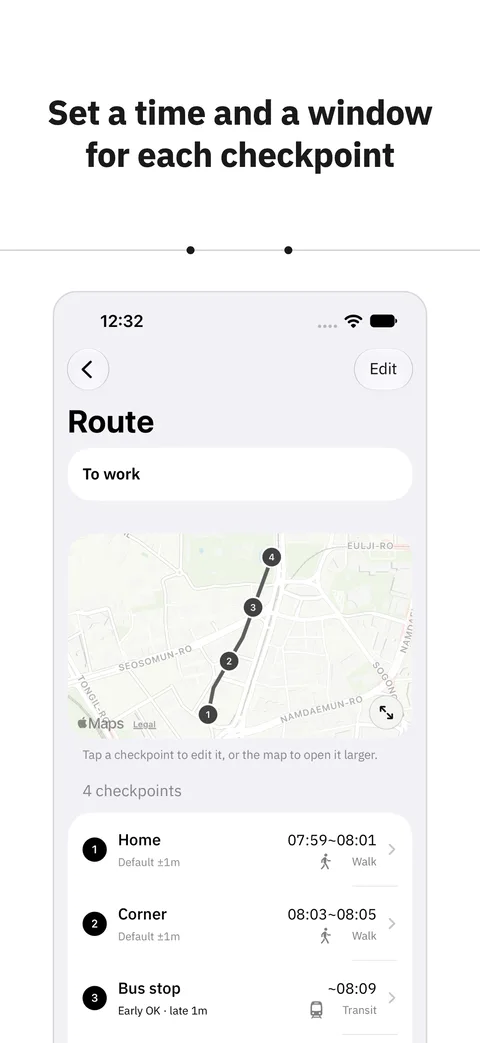
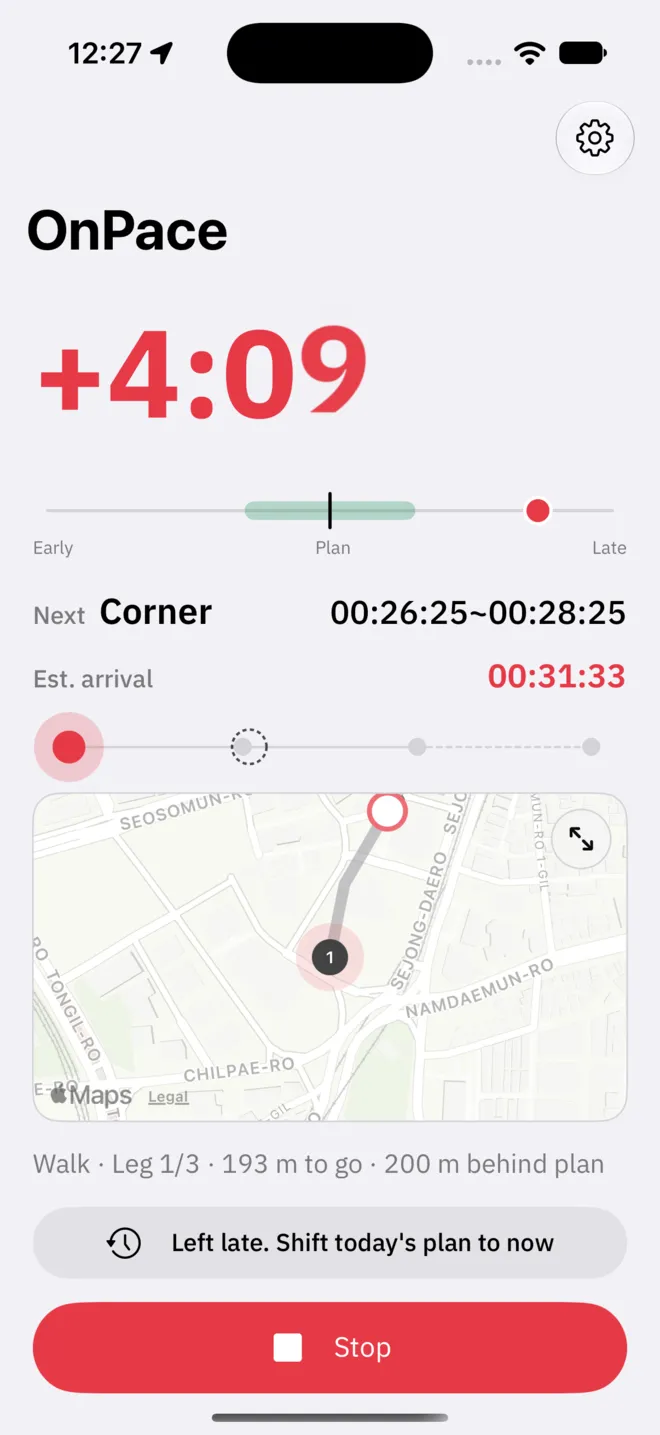
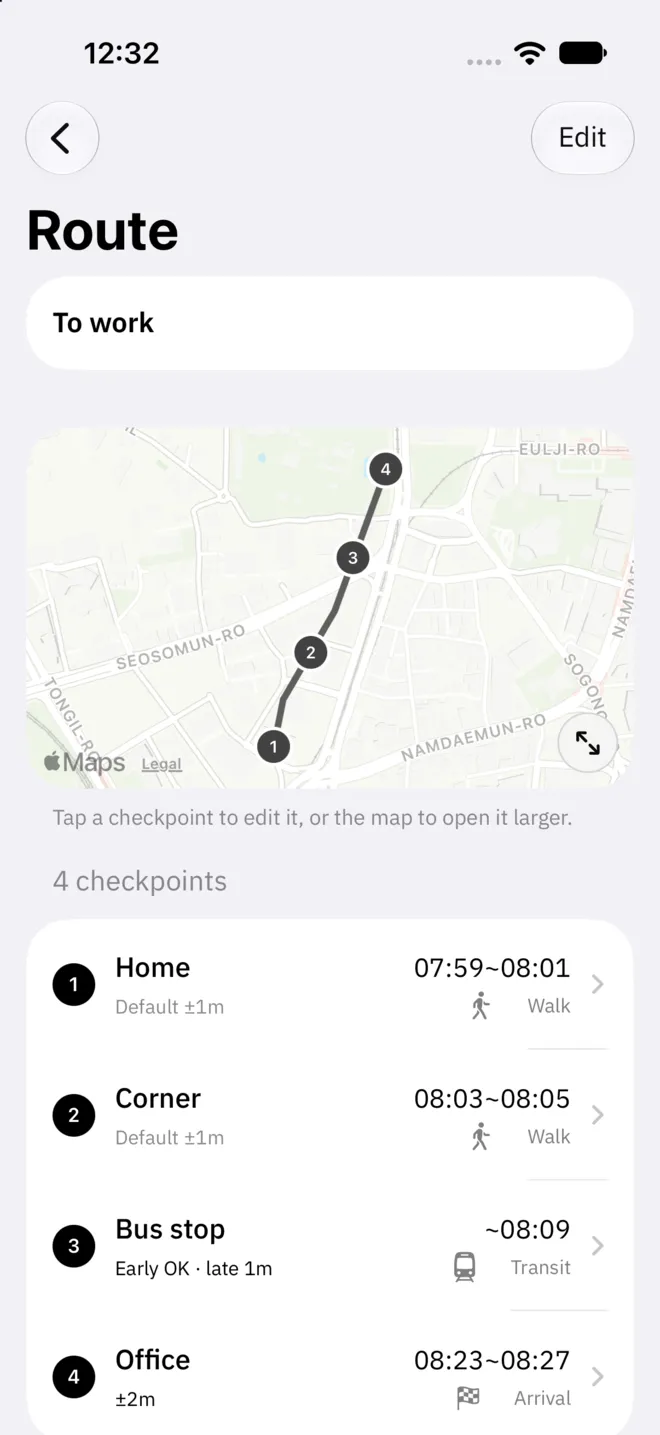
Set the times you pass a few points on the way: leaving home, the corner, the bus stop, the office. While you move, OnPace compares where you are with where the plan says you should be and shows the gap in minutes and seconds, in large type. It does not give directions. It tells you whether to hurry.
- Minutes and seconds ahead of or behind plan
- The next checkpoint and the time to pass it
- Estimated arrival
02
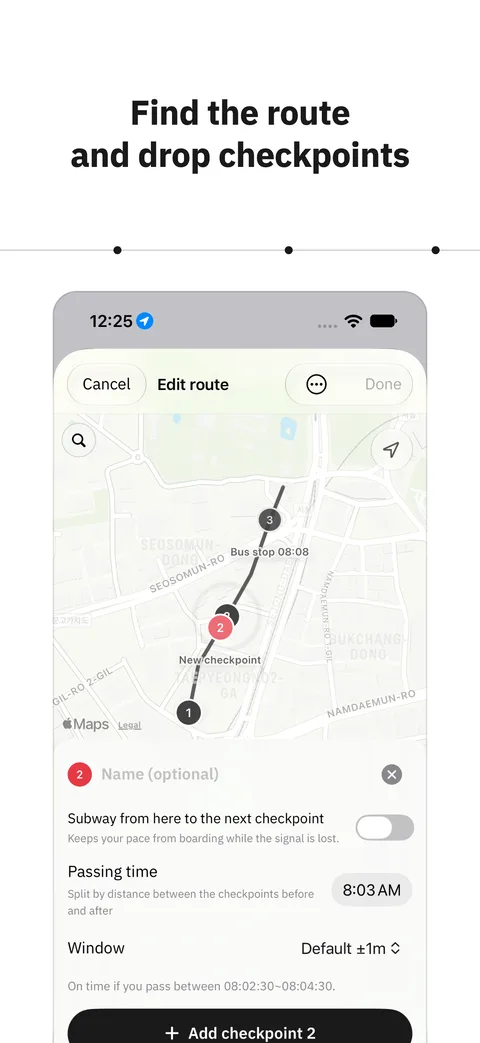
Routes from the map, or from one trip
Choose a departure and a destination and Apple Maps finds a walking or driving route, with checkpoints filled in along longer stretches. For a route no map can find, like a company shuttle, take it once and build the route from the trip. The places you stopped and where you got on and off become checkpoint candidates.
- Walking and driving routes
- A route built from a trip you take
- A window of its own at each checkpoint
03
Without taking out your phone
During a trip the Lock Screen card and the Dynamic Island show the gap and the next checkpoint. Drift out of the window and you get one alert. Start from Control Center or Siri, and the trip stops on its own two minutes after you arrive.
- Lock Screen card and Dynamic Island
- An alert when you drift out of the window
- Start from Control Center or Siri
04
Tuned from your trips
Each trip adds real times. OnPace looks at the median of your recent trips and suggests moving a checkpoint you always reach late, or loosening a leg that is too tight. Moving your departure earlier from a single trip is open to everyone.
- The median of recent trips
- Checkpoints reached late
- Legs that are too tight
- Leaving earlier
OnPace Pro
Routes without a limit,
and checkpoint times tuned from your trips
- Routes without a limit (two to begin with)
- Tune from trips: apply the suggestions to your checkpoint times
Support
Questions and contact details are on the support page.