Percentime
Spans filling as they pass
From today to the 2020s, a scale that fills as far as time has gone
01
The calendar opens six spans for you
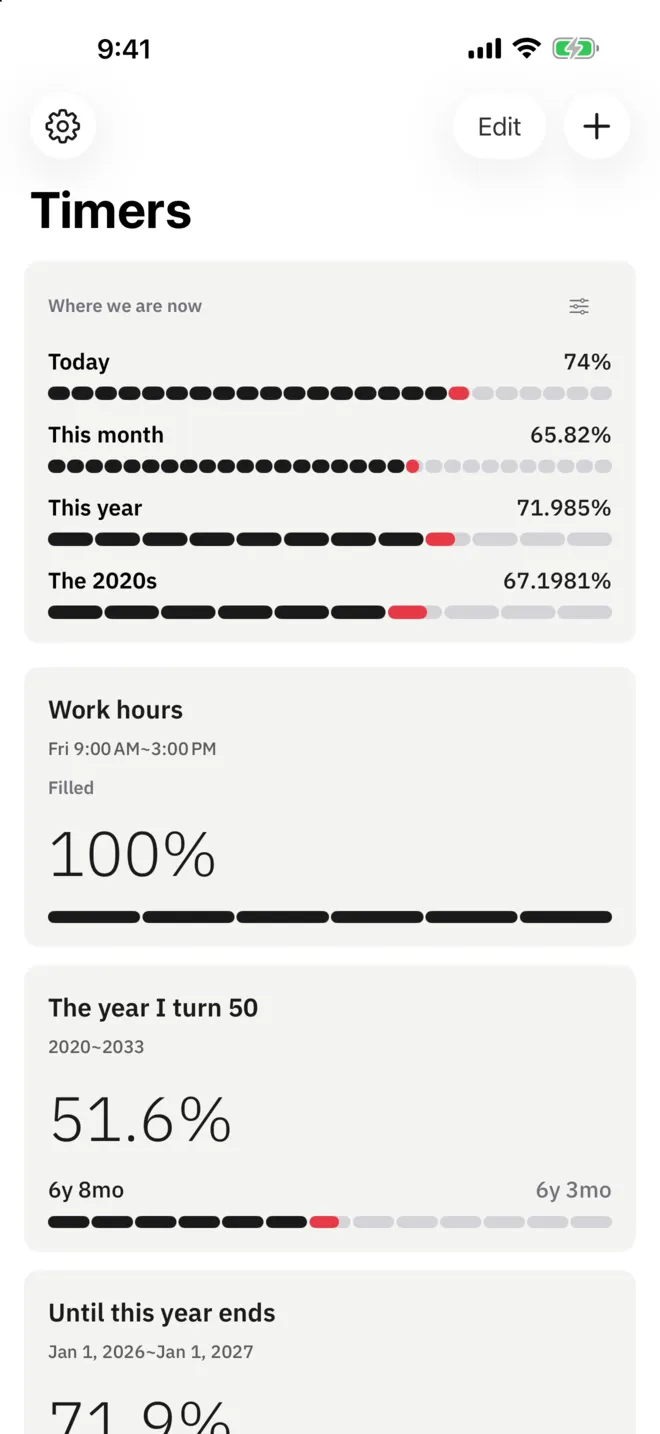
Open the app and today, this week, this month, this quarter and this year are already there. You enter no start and no goal. When a span ends it does not drop to zero: the next one opens right after it. For fifteen minutes past midnight the span you just filled stays on screen.
- Six spans with nothing to enter
- The next span opening after midnight
- Fifteen minutes holding a filled span
- Cells behind youTime set in ink
- The cell nowThe one place the accent sits
- Cells aheadLeft open in a pale line
A day24 hours
This year12 months
02
The span is cut into cells
A percentage alone is hard to place. So the span is cut to the unit one step down. A day is 24 hours, this week is 7 days, this quarter is 14 weeks, this year is 12 months. Spans that do not land on calendar units get their units grouped instead.
- Cells cut to the unit one step down
- Decimal places matched to the span
- One ring of cells on the full screen
03
Read it from the Lock Screen
Three Lock Screen widgets, three Home Screen widgets, and a stack widget that holds several spans at once. Every size carries the timer name, so you know which span the percentage belongs to. The same widgets come up large in StandBy. They redraw at the very moment the number changes, so at noon the day reads exactly 50 percent.
- Lock Screen circular, rectangular and inline
- Home Screen small, medium and large
- Redrawn as the percentage changes
04
Pick how you read it
The same span can be read several ways. Tap the number on the full screen and the readings you picked come round in turn. You set the decimal places on the progress reading yourself: one place as it comes, the second onward with Pro.
- Years, months, days and a clock
- One unit as a decimal
- Progress in percent
- Full moons, weekends, springs, birthdays (Pro)
Percentime Pro
Hours by weekday, repeating spans, life units
and a notice at the point you choose
- Hours by weekday: nine to six Monday through Thursday, nine to three on Friday
- Timers without a count limit: three of your own to begin with
- Repeating spans for every day, week, month or year
- Life units: full moons, weekends, springs, birthdays
- Decimal places from the second to the sixth
- Span alerts at 25, 50, 75 and 100 percent
Support
Questions and contact details are on the support page.